Mystic Tarot AI
Reflective tarot journaling and reading experience with AI-assisted interpretations.
Mystic Tarot AI is a dark, premium tarot companion: Tarot • scan • journal • AI. It is available on Google Play (package com.mystic.sychtarrot). For definitive store wording, pricing, and data practices, always refer to the live listing.

Google Play application identifier: Android package com.mystic.sychtarrot

What it helps with
The challenge
People exploring tarot often want a calmer way to try daily draws, photograph real spreads, and read layered meanings—without juggling several disconnected tools.
How the app approaches it
The app UI shown in marketing materials combines home guidance, photo-based spread capture, structured reading results, a learn area with library and practice, and AI chat with selectable personas—so reflection can stay in one place.
How it works
- Open the app home shown in materials: suggested next steps, card of the day, and navigation into reading, scan, chat, journal, and learn.
- For physical cards, use photo scan: lay out the spread, then capture or upload; the UI describes AI-assisted card recognition before interpretation.
- Follow guided reading flows: intention → spread → interpretation, including structured reading results and spread energy style summaries in the promos.
- Deepen with Learn: card library, practice, and spread layout guides as shown on the Learn screen.
- Optionally continue in AI chat with a tarologist-style persona for layered prompts (as shown in the chat marketing frame).
Who it is for
- ·Anyone who wants a contained ritual for tarot and journaling on the phone.
- ·Readers who sometimes use real cards and want a bridge to digital interpretation.
- ·Learners who prefer a library plus practice rather than ad-hoc blog posts alone.
Key features
Photo spread scan
Marketing UI: photograph or upload a laid-out spread; on-screen copy references AI recognizing cards before you continue with a reading.
Card of the day
Promotional screen: reveal a daily card with title, short meaning line, and upright keyword chips—framed as a quiet ritual.
Structured readings
Materials show guided rituals and a reading result flow with spread energy style meters (e.g. love, career, growth) alongside card names.
AI chat personas
Promo highlights AI-guided chat with distinct “tarologist” personalities and quick-start prompts inside a premium-feeling chat layout.
Learn & library
Learn hub in screenshots: card library entries, interactive practice, and spread how-tos; library rows show meanings and keyword tags.
Privacy & listing facts
Privacy policy and terms of use links on this page point to placeholder routes on sych-tech until final legal text ships; always read the live Google Play listing and in-app disclosures for store-official wording.
Screenshots
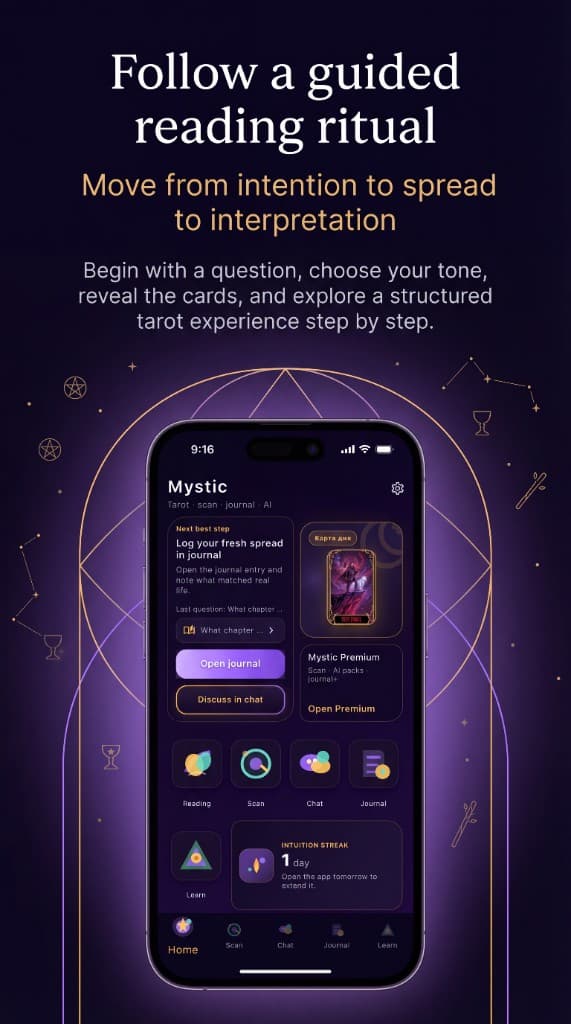
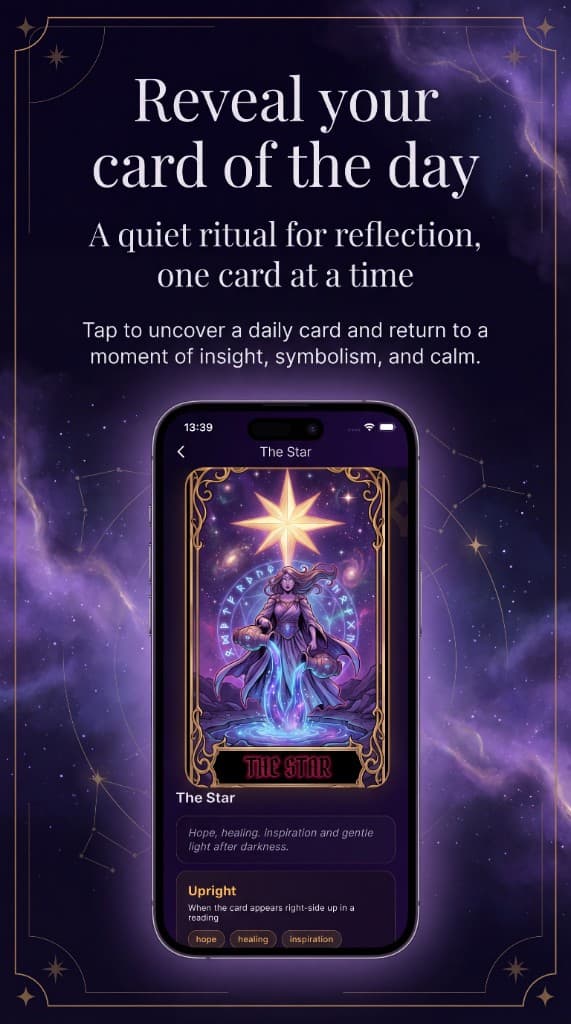
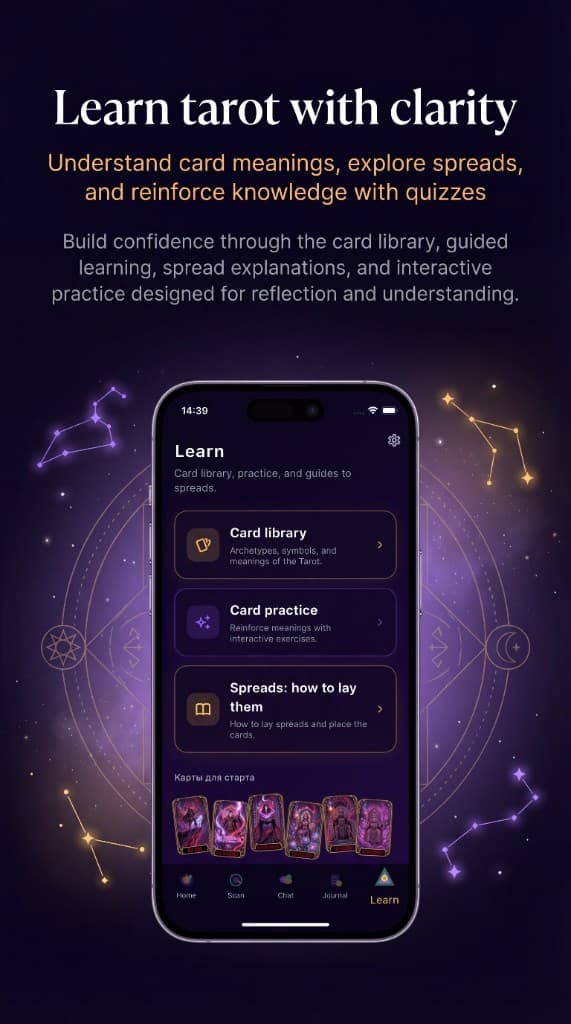
Promotional screenshots supplied for this product page (pre-release artwork).
Availability & listing facts
FAQ
Where can I download Mystic Tarot AI?
Use the Google Play button in the hero section to open the live listing.
Where is the official store description?
Open the Google Play URL above. If the listing is not public yet, store text and screenshots there may still be rolling out.
Related
View allPlant Doctor AI: Plant Care
AI-assisted plant care app that helps you organize plant care, scan plants, and receive structured guidance.
Plant Doctor AI — Blog
The public web blog for Plant Doctor: articles, care guides, and app links—built as the content and SEO layer around the mobile product.
Asian Food AI: Scan & Explore
A dark, premium exploration app for Asian cuisine: browse a dish catalog, open rich dish pages, scan photos to match plates, and chat with an AI kitchen guide—plus favorites, “tried” tracking, and journey stats.