Asian Food AI: Scan & Explore
A dark, premium exploration app for Asian cuisine: browse a dish catalog, open rich dish pages, scan photos to match plates, and chat with an AI kitchen guide—plus favorites, “tried” tracking, and journey stats.
Asian Food AI is described as a smart companion for exploring Asian food in one app—not a delivery service and not “only recipes.” The positioning on this page follows the author’s product brief for sych-tech: a growing gastronomic experience built around search, AI dish scanning from photos, an AI culinary chat, and a personal taste journey (favorites, tried dishes, and progress). Marketing screenshots on this page show a premium dark UI with mint accents, a dish library with cuisine filters, a scan flow, and a kitchen-guide chat. The Google Play target is com.asianfood.aisych (link in the hero actions); read the live listing for definitive store wording, pricing, and data handling.

Google Play application identifier: Android package com.asianfood.aisych
What it helps with
The challenge
People curious about Asian cuisine often bounce between blogs, photos, and translation tools without a single place to learn what a dish is, save what they love, and remember what they have already tasted.
How the app approaches it
The brief centers a browsable catalog, deep dish pages (story, ingredients, prep, cultural context), optional photo scan to suggest a match before opening a detail page, AI chat for cooking and discovery help, and structured collections (saved vs tried) with journey stats in profile.
How it works
- Home: dish of the day, popular picks, and journey progress toward exploring the catalog (per author brief).
- Library: search and filter the full dish list by cuisine and related tags.
- Dish detail: read cuisine, country, ingredients, prep steps, story, and cultural context.
- Scan: take or choose a photo; the flow is designed to suggest a dish match and hand you off to detail—or keep browsing manually if confidence is low.
- AI chat: use the assistant for substitutions, techniques, pantry tips, and meal ideas; quick prompts and chat history are part of the described experience.
- Saved: maintain separate lists for favorites and dishes marked as tried; profile surfaces explorer-style stats, achievements, and theme settings where enabled.
Who it is for
- ·Anyone who wants to explore Asian cuisine visually before ordering or cooking.
- ·Home cooks looking for an AI kitchen guide alongside structured dish pages.
- ·Collectors of “tried” and “saved” dishes who like progress framing around discovery.
Premium, ads & support
Monetization (free, ads, subscriptions, or in-app purchases), exact AI provider stack, and data categories can change by build. Confirm what you see in-app and on the live Google Play Data safety card before relying on commerce or privacy summaries.
Key features
Discover the catalog
Visual dish library, dish of the day and popular highlights, and search by name, cuisine, country, and tags—per the author’s feature list.
Rich dish pages
Open deep pages with story, ingredients, preparation steps, and cultural context—not just a one-line blurb.
Dish scan from photos
Take or pick a photo, attempt recognition, and continue into the matching dish detail when available; otherwise keep browsing the library manually.
AI kitchen chat
Chat with AI as a cooking and exploration guide: prep help, dish ideas, pantry questions, quick prompts, and chat history in supported builds.
Your food journey
Save favorites, mark dishes as tried, track discovery progress, and review explorer-style stats in profile—mirroring the Saved and Profile sections in the brief.
Listing alignment
Backend-dependent features should match what you experience in production. Monetization flags in older mockups might differ—verify purchases, ads, and permissions on the live Google Play page and inside the installed app.
Screenshots
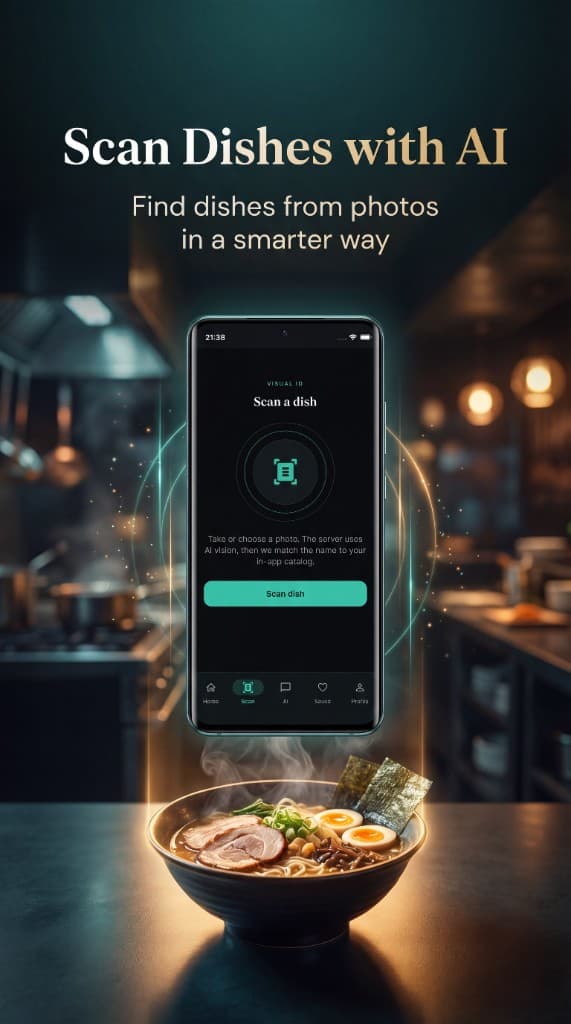
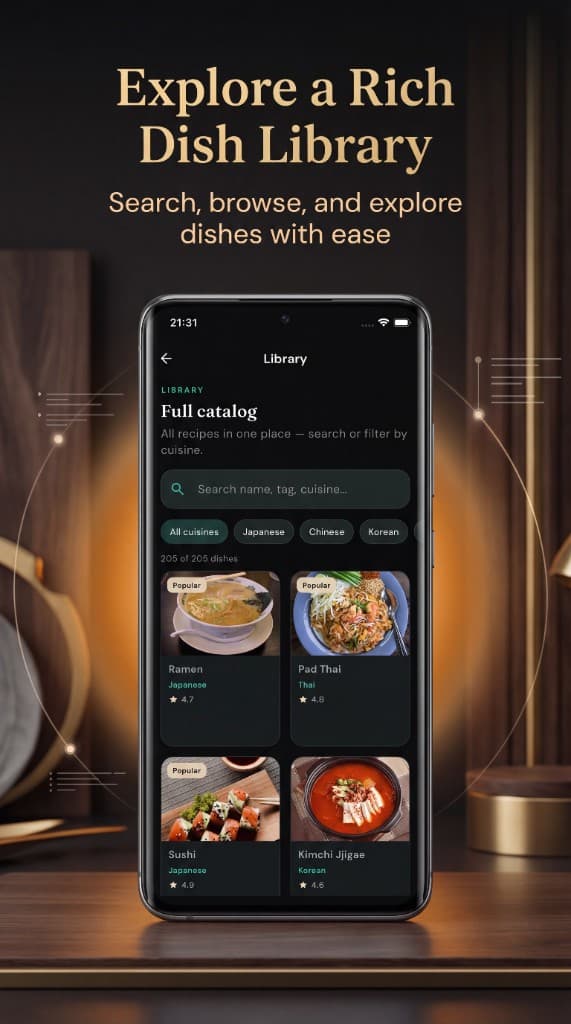
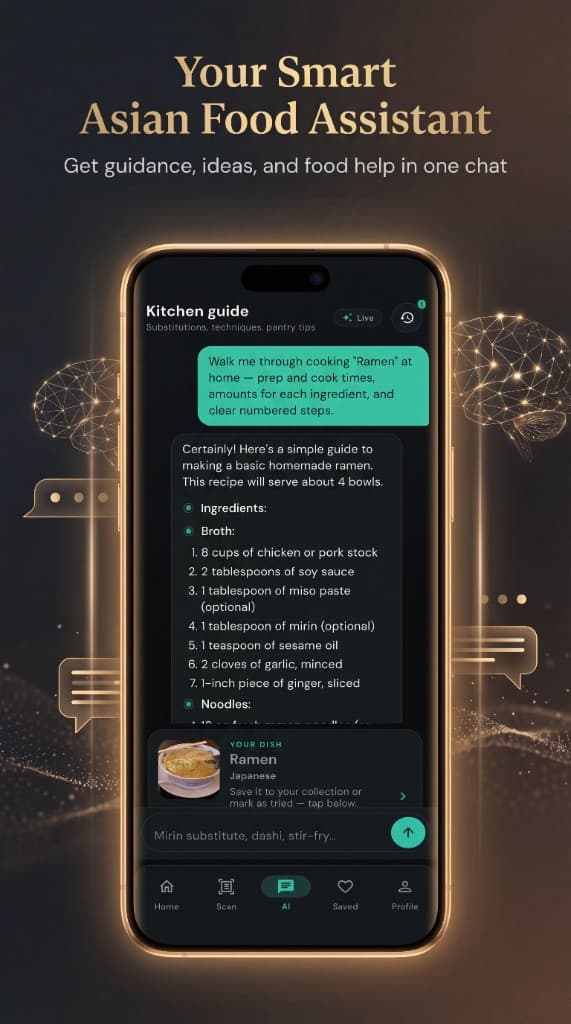
Screenshots mirror the shipped Google Play build and marketing visuals.
Availability & listing facts
FAQ
Is the Android app live?
Yes. Grab it on Google Play (package com.asianfood.aisych). This page mirrors the positioning from the shipped listing and author brief.
Where is the App Store link?
Only the intended Google Play URL is wired on this page right now. Add an App Store URL in site data if you ship on iOS.
Is this a delivery or recipe-only app?
The author positions it as food discovery and learning—not a delivery app and not limited to a flat recipe dump: catalog, detail, scan, chat, and personal journey tracking work together.
Related
View allPlant Doctor AI: Plant Care
AI-assisted plant care app that helps you organize plant care, scan plants, and receive structured guidance.
Plant Doctor AI — Blog
The public web blog for Plant Doctor: articles, care guides, and app links—built as the content and SEO layer around the mobile product.
Mystic Tarot AI
Reflective tarot journaling and reading experience with AI-assisted interpretations.