Plant Doctor AI: Plant Care
AI-assisted plant care app that helps you organize plant care, scan plants, and receive structured guidance.
Plant Doctor AI is positioned on the stores as an intelligent plant‑care assistant: take or choose a photo, receive an AI‑powered assessment with practical suggestions, save watering reminders, learn with short quizzes, and chat with an AI coach about pests, light, soil, and more. The App Store description states the app helps you understand what might be wrong and how to care for plants—without being a botanist.

Google Play application identifier: Android package com.sych.plantdoctor
What it helps with
The challenge
Symptoms on houseplants are easy to misread. Owners often want clearer next steps without expecting laboratory‑grade diagnosis from a consumer phone app.
How the app approaches it
The app combines photo‑based analysis, structured care guidance, reminders, quizzes, and coach chat—within the limits described on each store (including the note that it is an assistant, not a substitute for professional on‑site inspection when safety or regulations matter).
How it works
- Take a new photo or pick one from your library (App Store) / take a photo of your plant (Google Play).
- Receive an AI‑powered assessment with practical care suggestions.
- Save watering reminders so the next drink is not missed (App Store).
- Use quizzes to learn and chat with an AI coach about pests, light, soil, and more (App Store).
- Follow the care guidance the app provides for your situation.
Who it is for
- ·Houseplants, succulents, indoor plants, and garden plants (Google Play).
- ·Beginners and plant enthusiasts (Google Play).
- ·Anyone who wants unclear symptoms turned into clearer next steps (App Store wording).
Premium, ads & support
Google Play: the listing shows ads and in‑app purchases. Apple: Premium is an optional auto‑renewing subscription that removes third‑party advertising and raises usage limits for scans, quizzes, and chat; payment is charged to the Apple ID; renews unless canceled at least 24 hours before period end; manage or cancel in Account Settings. Apple also lists a one‑time “Buy me a Coffee” purchase (shown as $2.99 in the information panel at time of capture) to support development and temporarily boost weekly limits—details in‑app.
Key features
AI plant scanner
Scan a plant with the camera to receive health analysis (Google Play feature list).
Disease & issue detection
Identify common diseases, environmental stress, and growth issues (Google Play).
Personalized care plans
Step‑by‑step treatment recommendations tailored to the plant (Google Play).
AI plant coach
Ask about watering, sunlight, fertilizer, and care (Google Play); chat about pests, light, soil, and more (App Store).
Health monitoring & guidance
Track condition and watch for early warning signs (Google Play); learn watering, fertilizing, and positioning (Google Play).
Privacy & accounts (high level)
Apple states the app can work without a personal account for core features and uses an anonymous ID to sync usage and entitlements; photos sent for analysis are processed to provide results and may be used to improve quality as described in the privacy policy. Google Play’s data safety panel (at time of capture) indicated no data collected and no data shared with third parties—always read the live store disclosure.
Screenshots
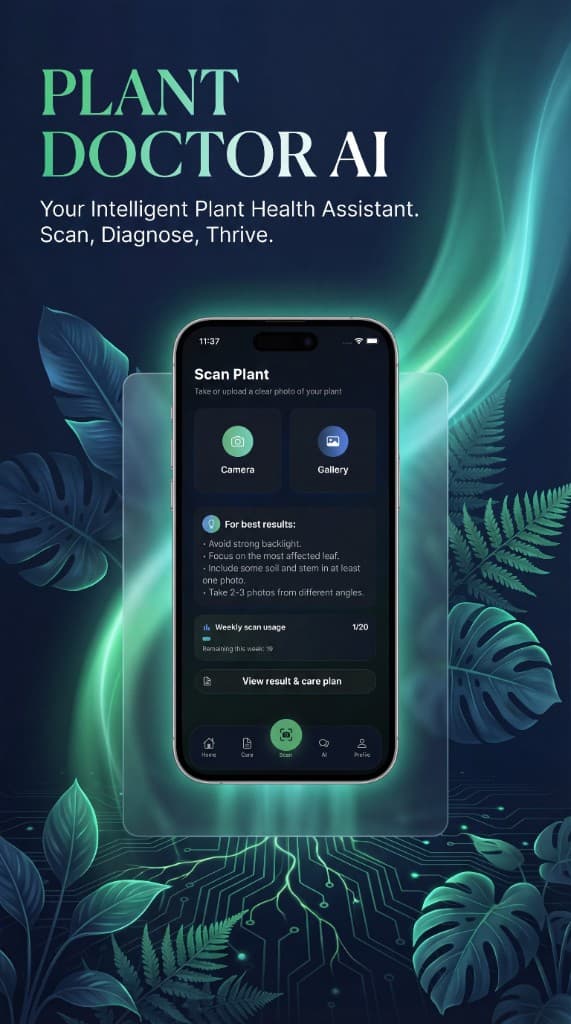
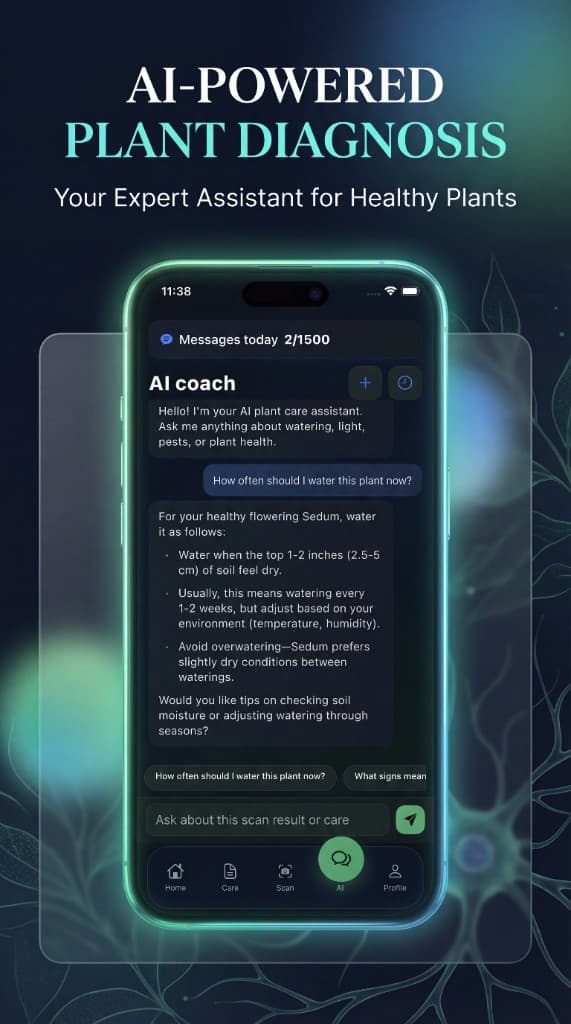
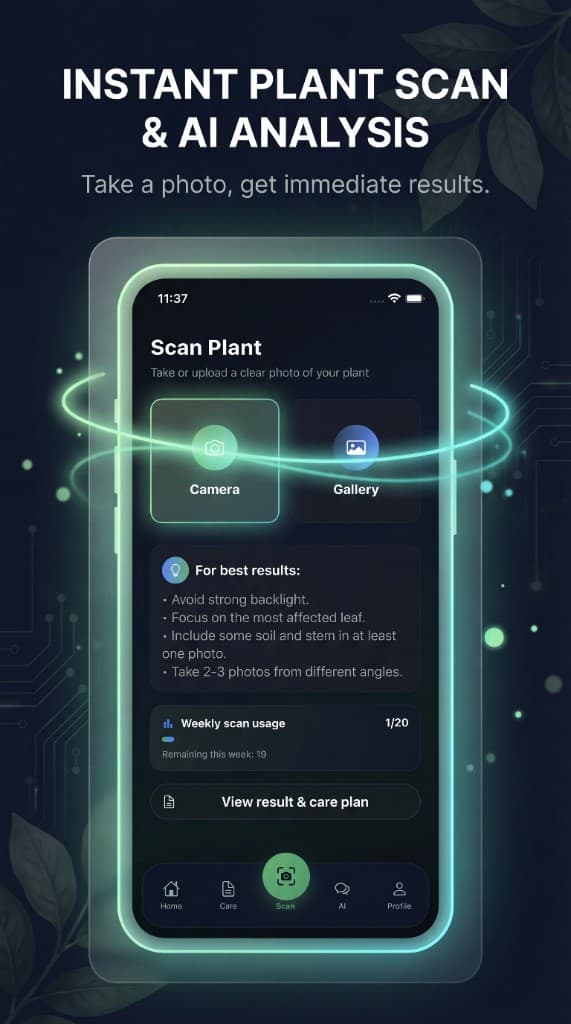
Marketing visuals from the Plant Doctor launch set; aspect ratios follow the exported artwork.
Availability & listing facts
Public store signals
Google Play installs (badge on listing; can change)
FAQ
Is Plant Doctor AI a medical or legal diagnosis?
No. The App Store description states the product is an assistant and not a substitute for professional on‑site inspection when safety or regulations matter.
Do I need an account?
Per the App Store description, core features can work without a personal account; an anonymous ID is used to sync usage and entitlements across sessions.
What does Premium add on Apple?
Optional subscription removes third‑party advertising and raises usage limits for scans, quizzes, and chat; billing and cancellation follow standard App Store subscription rules as described on the listing.
How do ads and purchases differ on Google Play?
The Google Play listing shows “Contains ads” and “In‑app purchases”. Exact ad behavior and SKUs are defined in the live store listing and in‑app.
Are ratings shown?
The App Store page indicated there were not enough ratings or reviews to display an overview at the time the listing was captured.
Related
View allPlant Doctor AI — Blog
The public web blog for Plant Doctor: articles, care guides, and app links—built as the content and SEO layer around the mobile product.
Mystic Tarot AI
Reflective tarot journaling and reading experience with AI-assisted interpretations.
Asian Food AI: Scan & Explore
A dark, premium exploration app for Asian cuisine: browse a dish catalog, open rich dish pages, scan photos to match plates, and chat with an AI kitchen guide—plus favorites, “tried” tracking, and journey stats.